 Resume Generator
Cornerstone Resume Template — Free, ATS-Friendly
Modern
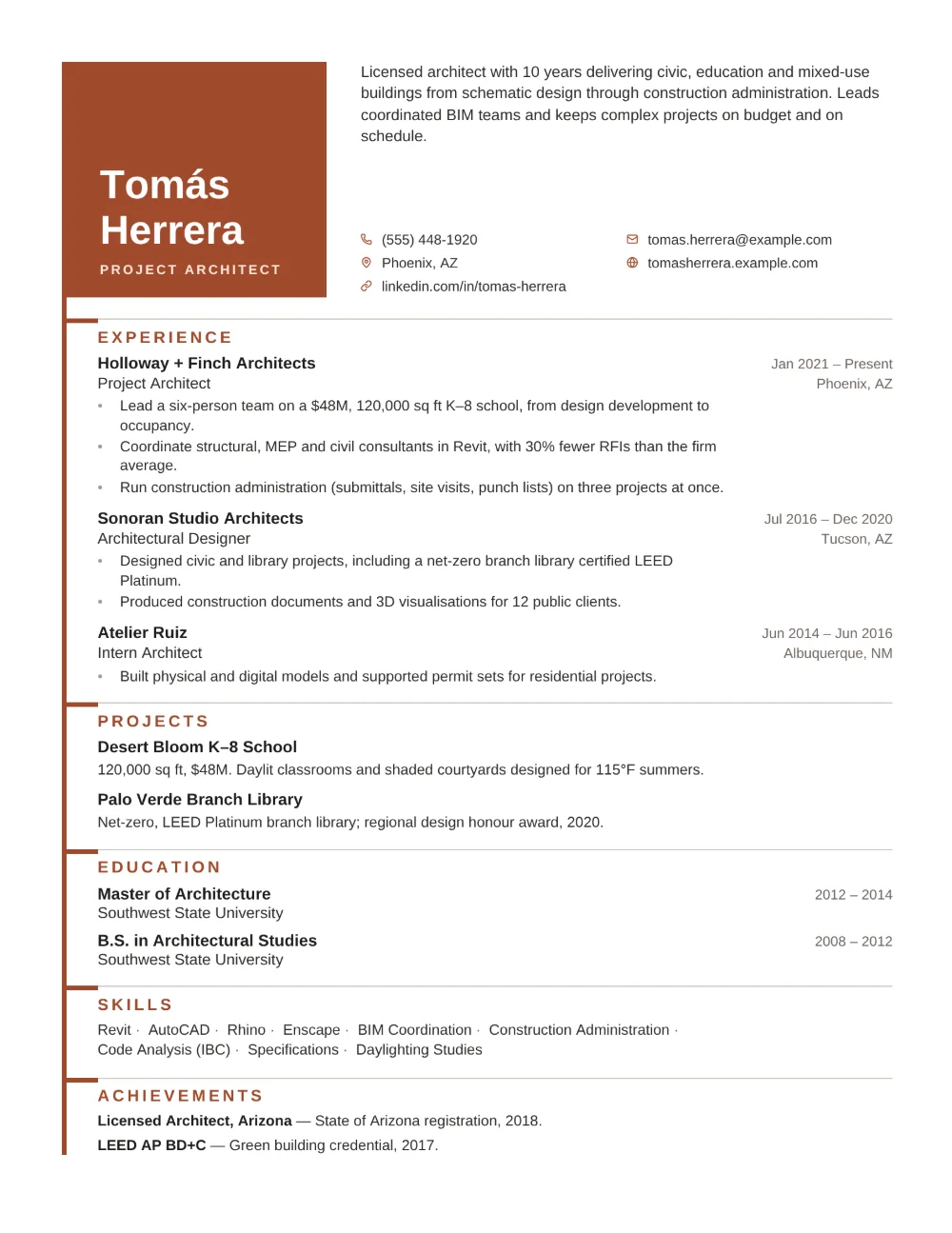
Cornerstone sets your name in large white type inside a solid brick-red block in the top corner of the page, with your headline in pale capitals beneath it. Beside the block sit your summary and a tidy grid of contact details, each with a small clay icon. A slim spine drops from the block down the full length of the resume, page two included, and at every section a short clay tick branches off it while a fine grey floor line runs on to the margin, like a building elevation. The entries themselves stay monochrome: employers in bold with the job title beneath, and dates and locations right-aligned in a column of their own.
Cornerstone suits architects, civil, structural and MEP engineers, construction and facilities project managers, urban planners, and other built-environment professionals who want a resume as ordered as a set of drawings. Projects follow straight after experience, so signature buildings get room of their own, and the restrained palette keeps the attention on the work.
Every word on the page is real, selectable text under standard section headings, so applicant tracking systems can read it. Note that the whole page is laid out as a table, which some older ATS software reads less reliably than a plain single column. Download your Cornerstone resume as a PDF or Word document (.docx) — free, no watermark.
Use this template