 Resume Generator
Cadence Resume Template — Free, ATS-Friendly
Modern
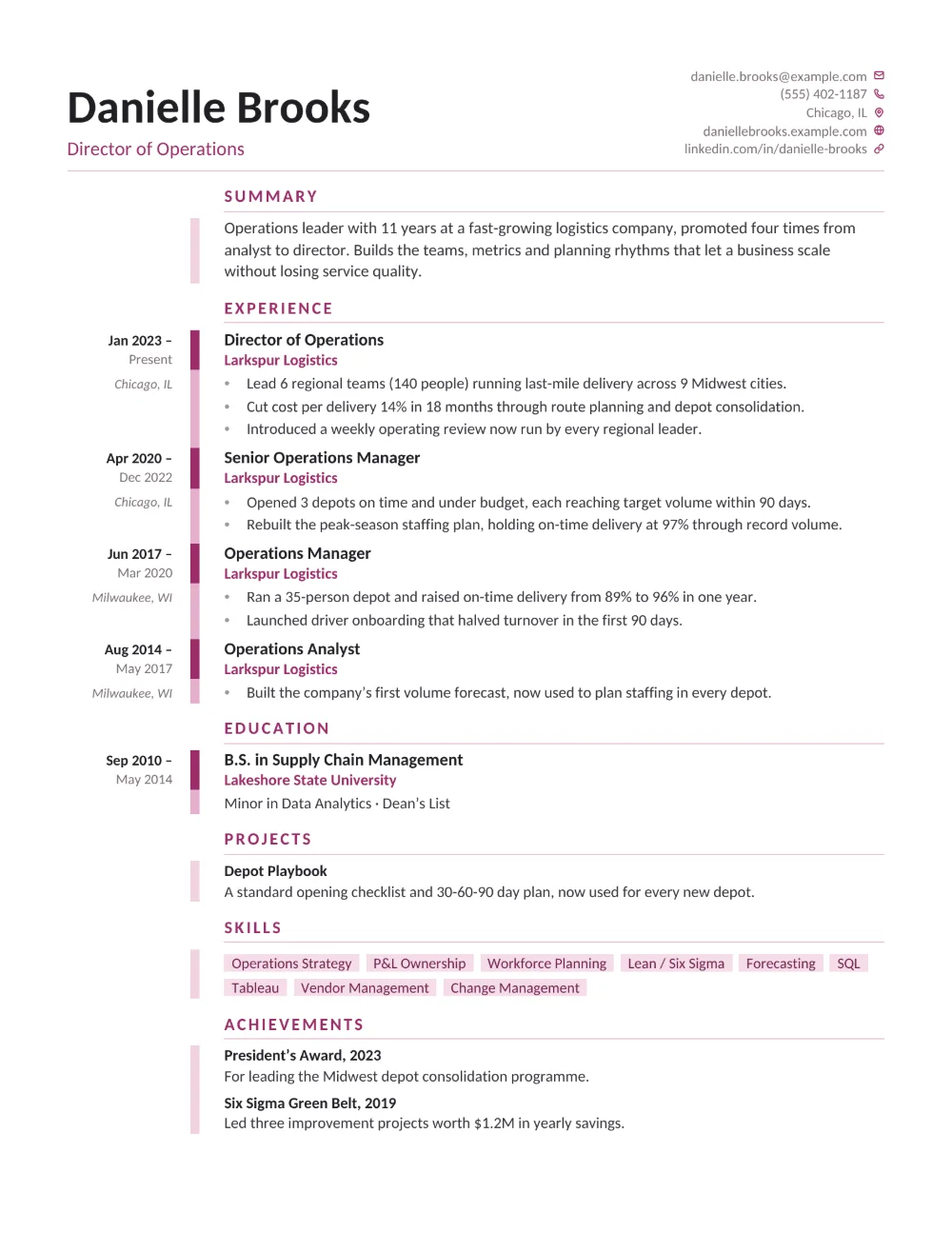
Cadence opens with a split header: your name in large bold type above a berry headline, and your email, phone, location, website, and LinkedIn stacked on the right, each line ending in a small berry icon. Below it, the page runs along one vertical timeline. Your dates sit in a narrow left column, the start date in bold with the end date and location beneath it, beside a rose rail that marks every role with a solid berry tick. Job titles are bold, company names berry, and your summary, projects, skills (set as rose tags), and achievements follow the same line on a lighter rail.
Cadence suits product, project, and operations managers, consultants, healthcare and education managers, and anyone with several promotions or a long, steady career to show. Because each role gets its own mark on the rail, a run of promotions at one company reads as clear progression at a glance, and a recruiter can scan your dates down one column instead of hunting along the right margin.
Every word on the page is real, selectable text under standard section headings, and each role reads in order: its dates, its title and company, then its bullet points. Note that some older ATS software reads table-based layouts like this timeline less reliably than a single column of text. Download your Cadence resume as a PDF or Word document (.docx) — free, no watermark.
Use this template